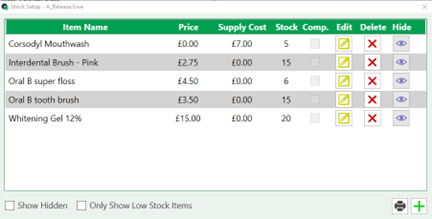
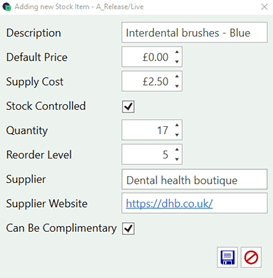
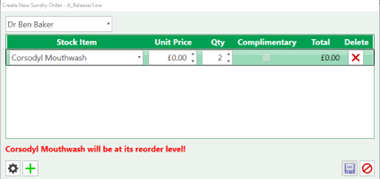
Stock Reorder Levels You can manage your stock levels and reordering by going to: Settings > Stock Setup Use this icon to add more items. Complete the stock information, you can enter the Description and supply cost as a minimum.Select stock control to enter the quantity and reorder level.This will then notify you when the reorder level is reached. Now you can see when purchasing a stock item you will be warned when you have hit the reorder level.