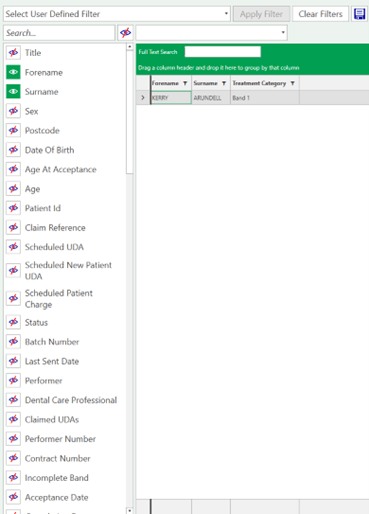
The NHS Claims feature allows to search for patients using very specific claims search fields and filters. You can access it from: Manage NHS claims > NHS claims filter
This works in the same way as patient filtering. The columns displayed are the filters selected from the left-hand side.
These can be selected or closed from the options on the left.
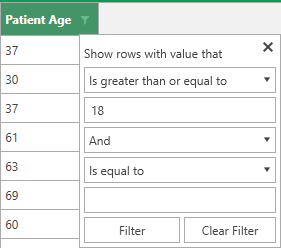
The information can be filtered using the icon at the top of the column.
Select the filters to add further parameters to the search. e.g set patient age to display 18 years old and over
The filter icon displays green to indicate a filter has been set
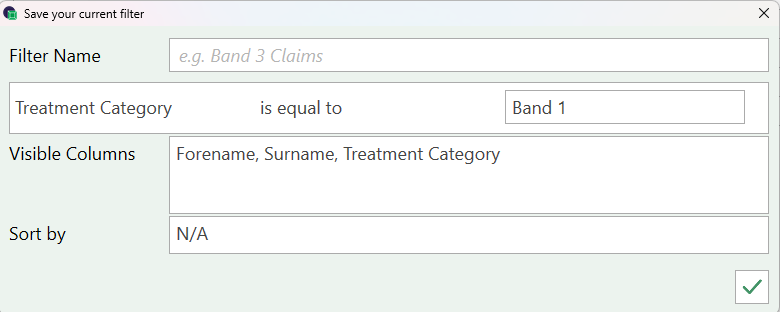
The selected filter can be saved. Give the filter a name and save the setting with the
This is now showing in the saved filters and is available to reload and apply. Once you are happy with the information displayed this can be printed from the Print List button
This will show as a preview and first and can be printed saved and / or exported to excel