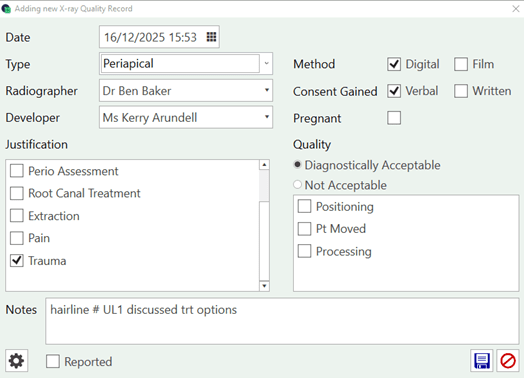
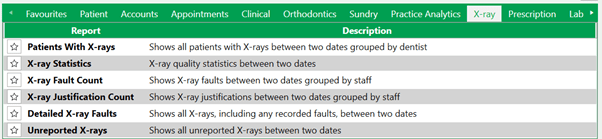
You can now record your X-Ray QA details in Pearl, allowing this to be reported on and used for CQC inspections. Access the X-ray details through the Radiograph symbol.
Select PLUS to add a new record.
Customize the X-Ray Type, Justification and Faults from the settings cog.